Pair programming is the best usability testing tool for developer-focused products.
Checking session availability…
Hang tight while we load the latest updates.
Have you done the pair programming session with your user? The amount of insights you get while doing pair programming sessions is enormous. In this talk, Anil will share lessons learned while doing pair programming sessions with the users for developer-focused products/services in his recent role as a Technical Product Manager. Learn why pair programming with users is the best way to identify the developer's pain while using your product/service. The audience will walk away with:
- Tips for conducting usability testing for developer-focused products.
- Identify developer pain while using your product.
- Lessons learned from great developer-focused products and how to use them in your product.
Pair programming is the best usability testing tool for developer-focused products.
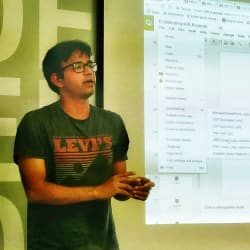
Anil Kumar Krishnashetty at UXDX Community: Travel UX Research and Pair Programming. Video: https://youtu.be/WS8jagki5J8
Readable transcript: edited from the recording's captions for readability (fillers and false starts removed, punctuation and section headings added). Wording is the speaker's own. Timestamps are positions in the video. Names marked [?] could not be verified against the audio.
Developer experience is not the same as user experience
[00:00:00] Myself, I'm based in Berlin, Germany. I would also like to know, can you just write me in the chat where you're connecting from? Would also like to learn a little bit more about you.
[00:00:25] This is a train station. I want to tell a story about some of the user testing sessions I applied and used in my previous roles, mainly focused on developer-focused products, and how it helped me in uncovering the needs and the benefits for the developer-focused products.
[00:00:53] This is a screenshot from one of the stops near my home, where during COVID there was a good analogy for saying what 1.5 meters looks like. It's interesting to see that whatever we assume as builders, for us it makes a lot of sense, but it's always better to give what is the end user point of view, looking at your products, what you build, from an end user point of view. If you have empathy, if you see from that angle, you might see things in a different way. What is obvious for us, it's not obvious for the end user. It's about uncovering that, what is not obvious. That's what you're going to get from user testing, and that's what you're going to get when you're doing your pair programming with your developer using your product.
[00:01:58] This is another example. Fundamentally, I want to talk to you about, there's a difference between developer experience and user experience. Developer experience, there's a difference. If you're understanding, hey, yes, developer experience is also about user experience, but where the user is a developer. Of course, yes, but there's a fundamental difference I want to talk about.
[00:02:22] The difference here is, most of the principles and tools you have today which are focused on the user, the UX tools we use for understanding user behavior, it's more like a restaurant analogy. A developer or a builder actually works in the kitchen as a chef, whereas our users are on the table and they're going to have a different experience. Of course, we build the things, the chef prepares the food for the end users. We are talking about the user experience here.
[00:03:02] Whereas a developer experience is more in the context of, here in this analogy, for makers, it's for builders. The tools they use, the environment they operate in, is quite different. It's very important to understand that, that's why some of the tools we apply for the user experience and user testing might not be the way you're going to get the exact understanding of what is the pain, what is the underlying need, for this maker.
[00:03:33] And there's also a famous tweet from Sarah, she now works at Google. The developers who are coming to your documentation or to your product, if you don't have a great onboarding experience, they're going to be just leaving you. They're not going to be getting back to you. It's like already losing the traffic for your platform.
[00:04:03] Another thing you need to think about, looking from the analogy of the kitchen and the table in a restaurant, there is an important difference in where developers spend most of their time. They're going to be spending it either consuming an API, either consuming a CLI, the command line interface, terminal, or the IDE. That's where they're going to be spending a lot of their time. And we need to understand what they do and how they do it differently, compared to just applying only the user experience technique, where either it can be a mobile app or a user interface, a web application.
Tool choice and what makes developers pick you
[00:04:44] There's also a popularity of AI tools coming. For example, this is from last year, GitHub's CEO talked about, there's already a Copilot tool which is generating 40% of code. We need to also be aware of how this is going to be influencing developers while building applications.
[00:05:08] And developers also have a lot of tool choice. It's not like they're going to be using only your tool. They might also be considering some alternative tools, some open source tool. They've got a lot of choice. They're going to pick one which kind of suits them, which is a great experience, which provides a great developer experience.
[00:05:28] Again, when I talk about tool choice, for example, you see here there are 91 headless CMSes available to choose from. There's already a lot to choose from for developers. It is a complex task to decide which one to work on. The one which works really well, obviously, is the one which provides a great developer experience. How are you going to provide a great developer experience? By understanding the needs of a developer, by observing how they use your tool, by solving common pain points, the user pain points. That's how you're going to create a great developer experience.
[00:06:06] And this is what a typical developer experience looks like. A developer comes and gets started with your tool and they go through the docs, they're going to download, they're going to install some of the tools, they're going to find out their use case might be missed, they might say, hey, this feature is missing. Or they might also face that your API or your service might be down, or you might have some deprecation, or you have some other challenges. These are some of the exceptions a developer might face. How are you responding? How are you providing a fallback? Understanding that whole journey also really helps you.
[00:06:48] And a very important point, while making this tool choice, we talked about, even though developers do not go and purchase the tool, it's maybe the leadership of developers who make a choice of purchasing, but developers make a huge part in influencing the buying decision. Because developers go and try and prototype and POC and see if this fits into their tech stack, and if it makes their work efficient, then they're going to reference, hey, this is going to be a huge time saver for us, and I recommend using this tool because it provides a great developer experience and we would like to work on this tool. So the recommendation of using your tool is higher if you have a great developer experience.
[00:07:36] And again, when it comes to developer persona, you might think that a developer persona is only one developer, but actually a developer persona can really vary a lot. If you think a developer is just the same, it's not. If you look at the distribution of developers, there can be different developers using different tools to fit their needs. You also need to consider what their tool preferences are, and if you're focusing mainly on JavaScript, then you can talk about the tools which are mostly used by JavaScript developers, and what are the ways you can improve their experience.
[00:08:24] Similarly, think about what your target users are and what tools they use, and how you can enhance the developer experience based on the tools they use most of the time. For example, if you have seen the React documentation, React documentation is not just for advanced users. They talk about React for beginners, React for designers. So there are multiple journeys you can get started with. Thinking about multiple journeys for your end users based on their needs, you can create a great developer experience.
[00:09:08] Another example, which is about Fig, which is providing a greater developer experience for the terminal. You don't need to remember the commands, it auto-suggests. This is also another way, you can create a Fig command line for your tooling so that it makes it easy to get work done in a much quicker way in the terminal. This could be one example.
Pair programming on a design system at Contentful
[00:09:37] I want to tell a story about documentation improvement at Contentful. I was working as a technical product manager. We were working on a design system called Forma 36, and we planned to shift a version from V3 to V4. As part of that, I started talking to our community developers and also our customer developers. What are the use cases they are building for? What components are missing? What components should we provide? And what documentation can we provide so that they have a great developer experience?
[00:10:19] One thing we noticed while I was performing pair programming together with our community developer and also our customer developer: I started to see how they're using our design system React components, and also I was able to see what are the components we don't provide today. For example, a common component we didn't provide at that time in V3 was pagination.
[00:10:47] Developers don't wait for things to be built by us. Instead, they're going to create their own or reuse some other library component. I saw that a couple of our customers were reusing some other open source component library, which gets their job done, but it's going to create an inconsistent design, an inconsistent experience. I wouldn't have known this, I wouldn't have known what are the most commonly used components, if I didn't code and see what are the challenges, what are the interfaces they are trying to create.
[00:11:30] While doing a pair programming session you understand what tools they use, what documentation they refer to. For example, we also have the Forma 36 Storybook documentation and also the website for design system components. And I also noticed that experienced designers, experienced front-end developers, they were not coming back to documentation, but they were looking into the TypeScript types, as to what type of arguments they can pass into the component.
[00:12:05] So this is also a great learning. Before, we were very much focused on documentation on this website, but we had a little bit less focus on the component types. Understanding that, by providing a great experience, because developers wanted to spend time and work in their IDE, get things much faster rather than switching the context between the website and the IDE, they were able to develop things quickly. So it helped us to focus on providing the type system and definitions and documentation on the type system, along with the documentation on the website.
[00:12:45] The type system is actually a kind of guide or documentation for developers, so it's very important. By doing pair programming I was able to discover how experienced developers are using TypeScript types to get auto suggestion and get things much faster.
[00:13:05] Here you can see one example from commercetools, where TypeScript types can really enhance the developer experience for developers. This is an API for e-commerce. You can already see what methods I can call, what arguments I can call, so I don't have to go to documentation. Staying in the IDE, I'm able to get all the necessary IDs and argument information. That saves a developer time. That's a better developer experience.
Developer efficiency and the sandbox
[00:13:38] There is another angle we can look into, from a product or a developer tech team's point of view: developer efficiency. Think about what are the common tasks which developers do every day. They're going to be running applications locally. Thinking about common tasks: running the application, testing it out, putting it in production or deployment. How fast can you make that? How can you get that into effectiveness faster?
[00:14:12] The lower the effectiveness, that means there is an area for improvement. And imagine developers might be running the applications and trying it out several times. It's going to be multiplied by that time. You're consuming that time from developers. So if you can reduce that, if you can create a high effectiveness in your developer workflow, that's going to be a great way to optimize the efficiency of developers. And you can also look from a feedback point of view, same, developer effectiveness.
[00:14:48] Other things which we learned from the pair programming at Contentful with Forma 36: with version V4, we introduced a sandbox. A lot of our customers wanted to try components on the fly quickly. They want to see how it works and understand if it fits their need. Before, we didn't have this quick code sandbox, they had to get the React bootstrapping. It was taking some time for them to bootstrap and work on it.
[00:15:28] With the CodeSandbox they were able to tweak around with the code and try out the component, how it works and what fits there, and they just copy that code component. Making it faster to test and validate and copy the code was a huge time saver, making time to value, reducing the time very quickly.
[00:15:52] Another example from Chakra UI. Inspired by Chakra UI, you can see here that as a developer I would like to see how it works, and you can get instant feedback, and if it works you can just copy that code, so you don't have to bootstrap it. We got inspired by this, and also from the pair programming session we understood that sometimes developers wanted to just prototype and see if that component fits or not.
How to find participants and run the sessions
[00:16:23] You might be wondering, okay, this sounds good, developer user testing and pair programming, I can talk about it, but I have some challenges. How do I do it? How do I make it quickly? To run such sessions, to uncover some of your learnings, like if the tooling you're providing for developers is really useful or not, it can be quick. It doesn't have to be a long, lengthy process.
[00:16:55] The quickest way to find out participants is to start with dogfooding. What I mean by dogfooding is, talk to your internal engineers, especially solution engineers, professional services teams, developer advocates. They can be your first developers to drive it. You can do a pair programming with them, and they know a better context about your customer, and that way you already get a lot of insights.
[00:17:24] Another way is, if you have active community members, before inviting them you can also see how you can help them, like providing answers for them. For example, in my case with Contentful, when I wanted to talk to community members, I looked into a community Slack channel. Instead of just reaching out to them to go and get a user testing session, because it's a big ask, they need to spend 30 minutes to 45 minutes, instead of asking them, I first started building a relationship with the community members. I started providing value. They come with some purpose, they have some challenges. Try answering them, try to help them first.
[00:18:11] Then you can express to them that, hey, you being a technical product manager responsible for the design system, you wanted to improve the experience not only for community members but for all customers, and I would like to get an opinion and feedback from you. Usually, if you already help your community member and you build trust, they would be really happy to help you and provide you more feedback. So this technique really worked well for me. This is where it's important to constantly provide value to the community, and when you need feedback or when you need beta testing, it's very easy to get access to your pool of developers to test.
[00:18:56] And if you have got some budget for your testing, you can also try to recruit participants from a freelance platform like Fiverr, where you can hire an experienced developer and do a pair programming session and see how they run through with your documentation. That way you can run quickly. And I've seen sometimes, if the product is popular among developers, they also share it on social media.
[00:19:33] Another way to automate getting more developers for testing is, this is my Calendly link, where I put 15 minutes for my preparation, 15 minutes for analysis after the session, where I send this calendar link for a pair programming session. This way it's automated, where I can share it with all the potential tech community members where they can schedule a call, and it's already integrated with Zoom, my Zoom session, where I can record the screen and also the pair programming session, so that I can share with my team so I can create a shared understanding.
Being clear on what you want to learn: the Lokalise developer portal
[00:20:19] In terms of preparation, it's important to ask some of the fundamental questions, like what are you trying to learn from this usability testing session? Do you want to uncover the pain points, or do you want to understand the journey where people are dropping off? It's very important to know what you wanted to get out from this testing session, so that it really helps you to analyze if you have some action items from your analysis, or if you want to prove something from your hypothesis.
[00:20:52] For example, at my current company where I work, at Lokalise, one of the things we had was a developer portal called developers.lokalise.com. We were launching the developer portal and we were not sure if the developer portal was a great onboarding experience for developers. For example, the value proposition was here, and we were not sure if it's going to be useful. The API endpoints, we were not sure if it's useful, if it's intuitive enough.
[00:21:33] Based on pair programming and user testing, we were able to figure out that for some developers it was not obvious how to use this platform, and we created a quick demo video which we put on our landing page of this REST API endpoint, on the home page. That's where most of the developers come and see, and if they don't understand, they can quickly see how it is used and how it is done. This way we were able to identify the issues.
[00:22:09] Some of the other issues we also identified, in terms of experience, is: is the API header clear? Are our default responses clear? Because sometimes you don't get developers always landing here, sometimes it's a technical product manager who wants to understand how the response looks like. Even though they don't have an API key, they can see how the response looks like. They already get what the response looks like.
[00:22:39] And we were able to make a lot more tiny developer experience improvements just by only doing pair programming and giving them the task, and uncovering how easy it is to play around with this platform and improve the developer experience. As a result, we frequently get some really nice quotes and feedback from customers, that they really like the documentation, they were able to get started quickly. It was only possible with these tiny developer experience improvements, micro improvements, we were able to detect only because of a pair programming session.
[00:23:19] And there are other types. We also get feedback, we have a feedback form where developers can share feedback. Time to time we get our feedback, but most of the time it was really helpful for us to have a clear idea of what we want to learn, and validating our assumption, and understanding the behavior of developers, and taking actions based on that.
Running the session well, and sharing the observations
[00:23:47] Another thing which you have to keep in mind, just to understand: our goal is to understand the thinking of developers, what's their behavior and why they're making their choice. It's very important to ask open-ended questions. If they get stuck, they might ask you, hey, how should I do it? Instead of responding to them, how would you do it if I'm not there? Making them think aloud, asking them to speak a lot when they're coding, can really help you to understand how they approach the problem, where they look for the resources, so that it feels natural. So it doesn't feel like you're testing them, it's testing your developer portal.
[00:24:31] Another really good benefit about using Zoom is you can also share screen and also give them the instructions, and you can also use the annotation tool from Zoom where you can point out the things they have to take care of if they really get stuck. So you don't really have to stay ahead, even though you want developers to do what they wanted to do and observe.
[00:25:04] The other technique which you can also use, and which is done quite popularly by many companies, and this I got from Stripe: they have a very nice technique about documenting everything. When a new developer joins their team, they document all the actions they took while getting up and running with the Stripe API or Stripe examples, challenges they've gone through. By looking into those logs you can also see what are the pain points we have and the best way we can improve them.
[00:25:43] I took this inspiration and I also used the new joiners as participants for pair programming, because they're new to the tool, they have not used it, and they are developers. That way you get a really good feedback because they're not familiar with the platform. That's also another easy way to get developer feedback and do pair programming with them for user testing.
[00:26:13] Another important thing which I noticed: it's very important to have shared observations. Initially, my pair programming sessions, a lot of them I ran alone, and it was fine, I was able to understand a lot of insights and I was collecting them in a Miro board and sharing it to the team. But the problem was it was not clear enough for my team. Again I had to explain to them why this is important, why compared to other opportunities, the other tasks. It was double work for me to explain.
[00:26:46] What I realized is, I started inviting my teammates as optional to these user interviews, the pair programming sessions, where they were able to observe, but they were not talking, they were not asking questions. They turned off their video and muted audio, and they were observing what the programmer is doing and also taking notes in parallel. Once the session is done, I just need to chat with them for ten minutes, analyzing the result, discussing what are the observations. It was much easier.
[00:27:22] So all the team members, or most of the team members and decision makers, have a shared understanding, understand the problem, and it was very easy to influence the team to work on and fix that issue, rather than me again having to try to convince them and explain, this is a problem, this is what I observed. That creates a better shared understanding with the team.
[00:27:44] And this is a great analogy from Jeff Patton, where if you don't have the shared understanding, each team member will have a different impression about what this task is about and why it's important. I think once we start participating in the pair programming session and you start to realize what the end user is trying to get done, as a result, at the end we all have a common shared understanding and we know what to fix, and we need less discussion later, and we need less approval, less arguments. So we can ship things faster with a shared understanding.
[00:28:22] Host: I'm going to jump in there. I think that was a great one. We've gone over time, unfortunately, so we're going to have to wrap it up. Do you need another 30 seconds or so?
[00:28:36] Anil: Yeah, I think I'm nearly at the end, so thank you for reminding me. So I'm nearly at the end. All I can refer you to is two books that really helped me to shape up my usability testing sessions: Steve Krug's Don't Make Me Think, and The Mom Test. Highly recommend that. Thank you very much. I think that's pretty much it. If you have any questions, I'm happy to answer. Thank you.
[00:29:00] Host: Excellent, thank you very much. That was really interesting, and it's always good to look at the customer being the developer as well, it's not just the end customer. I do have a question more around how does the pairing work, and how is it different from shadowing somebody? But we don't have time to jump into it at the moment, so I'm going to post that question on our Slack channel. And if anybody has any questions as well, I can see there's people in Dublin, people in Valencia, people in Berlin, if you have any questions that you want to send through, just post them there and I'll pass them through onto this channel. That's all we have time for today, so thank you very much, and thank you for sharing your insights about pair programming.
[00:29:45] Anil: Thank you.
Speaker